I recently found TRMNL, an e-ink display that can show small, personal dashboards that you can build yourself or use “recipes” from the community.
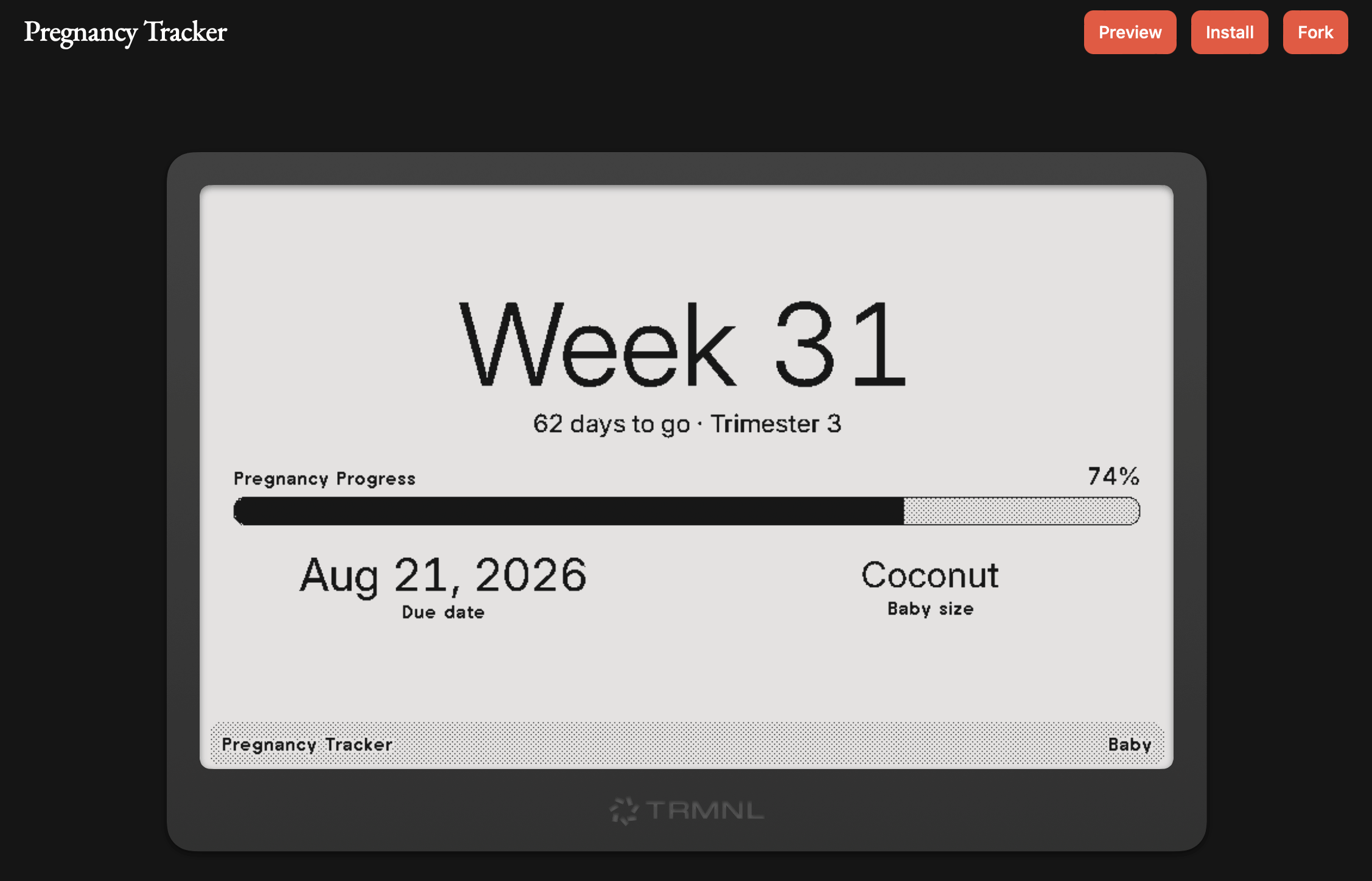
I wanted to build my own recipe that showed the pregnancy progress of my baby (screenshot at the end). It sounded like a nice small project but I knew very little about CSS, and even less about making an interface look good. I could explain what I wanted, but not the details that make a screen look good: spacing, hierarchy, density, and what to remove when a layout gets too small.
Claude seemed like a good collaborator for that gap. It could write Liquid templates and suggest layouts much faster than I could. But my first attempts were frustrating. The output looked good at code level, but on device the text overflowed, compact layouts broke, and framework conventions were missed. Each correction meant another Claude session, copying and pasting into the TRMNL simulator to see the previews, checking all layouts, and asking for a list of changes. The feedback loop was so long that a small plugin could consume my whole weekly quota, meaning it could take half a month to get to something decent.
The problem was that Claude is really good at React, Spring Boot, and many other mainstream technologies because it had a lot of training data to learn from. TRMNL is not that popular, so Claude just doesn’t know how to work with it.
Let the model see the result
TRMNL layouts are rendered in a few different sizes, from a full 800×480 (OG version) display down to a compact quadrant. A template that works on the full screen may fail completely in one of the smaller views. Code that “compiles” was not enough, I needed to review the rendered image.
So I automated local previews. A small script runs the TRMNL preview tool in Docker, renders every layout, and writes PNG screenshots locally. That allowed me to ask Claude to check for overflows, spacing, and density, and to consider the work done only when it actually rendered correctly. The model also gets a concrete target for its next iteration instead of a vague instruction to “make it look better.” I have seen Claude perform multiple iterations without my intervention because it was able to catch issues from the screenshots. I can also reference the current PNG preview and ask for changes based on what I see there instead of talking about the CSS/Liquid code.
A prompt is not a process
Visual feedback solved only half the problem. Claude kept making some of the same implementation mistakes: adding classes the platform already provides, using JavaScript patterns that do not work in the runtime, or treating every view as a scaled-down version of the full layout.
My first instinct was to ask it to check the official documentation before finishing. That helped occasionally, but it was not dependable. In a long task, “remember to verify the docs” was frequently ignored or forgotten. Sometimes it checked, frequently it did not. And even when it did, finding the relevant page added friction and brought in a lot of unrelated context.
I needed the framework knowledge to be part of the workflow.
A local knowledge base with an index
I copied the TRMNL documentation into the project and organized it as a small local knowledge base. The most important part was an index that tells the model where to look for each kind of work.
For example, there are separate references for framework layout rules, Liquid and data handling, JavaScript patterns, plugin types, marketplace requirements, and local previews. Instead of loading everything into the context window, the model can start from the index and open only the file relevant to the task.
That keeps the context focused. If the task is to build a table, the index allows the model to get directly to the section that contains the rules that matter there. If the task is to prepare a plugin for submission, there is a checklist for all four layouts, metadata, custom fields, and edge cases.
Turn repeated corrections into a skill
Finally, I wrapped the workflow in a skill. The skill tells Claude to begin with the local knowledge-base index, choose the relevant reference files, follow the preview workflow, and inspect the rendered output before calling the work complete. Because I had already built several plugins, Claude also review their implementations and compare them with the preview it generated, copying what had been proven to work.
Claude now has a repeatable route to the right information and a definition of done that includes verification.
The workflow
The whole loop is simple:
- Start from the knowledge-base index and load only the framework guidance relevant to the task.
- Build or update the plugin using those rules.
- Render each layout locally with realistic mock data (for both OG and X versions).
- Inspect the screenshots for correctness, hierarchy, overflow, and usefulness at small sizes.
- Feed any recurring failure back into the skill or knowledge base, not just the current conversation.
Giving the model eyes, a map, and a memory made the difference. What had been a cycle of slow trial and error went from weeks of tinkering to a couple of hours for a small plugin.
Here is the plugin finally published: